

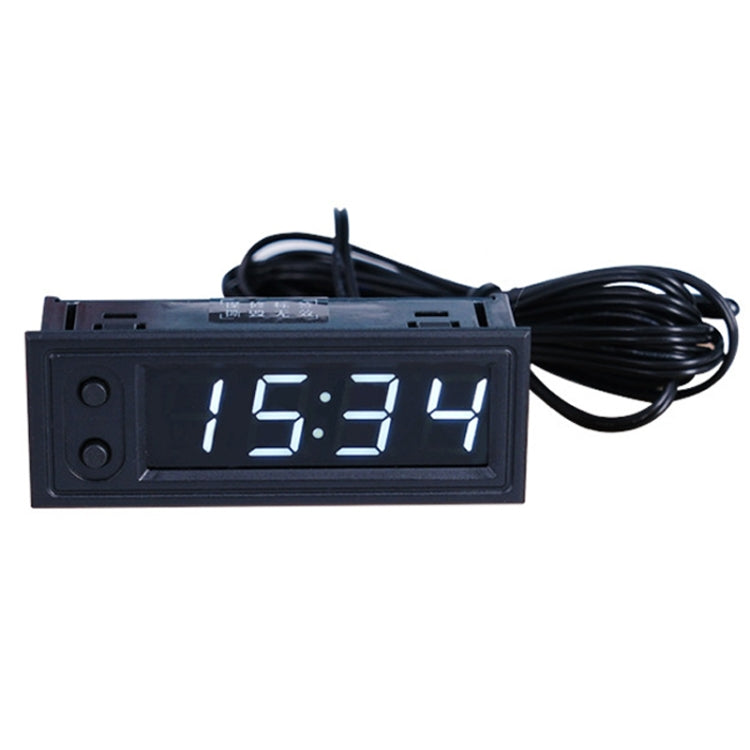


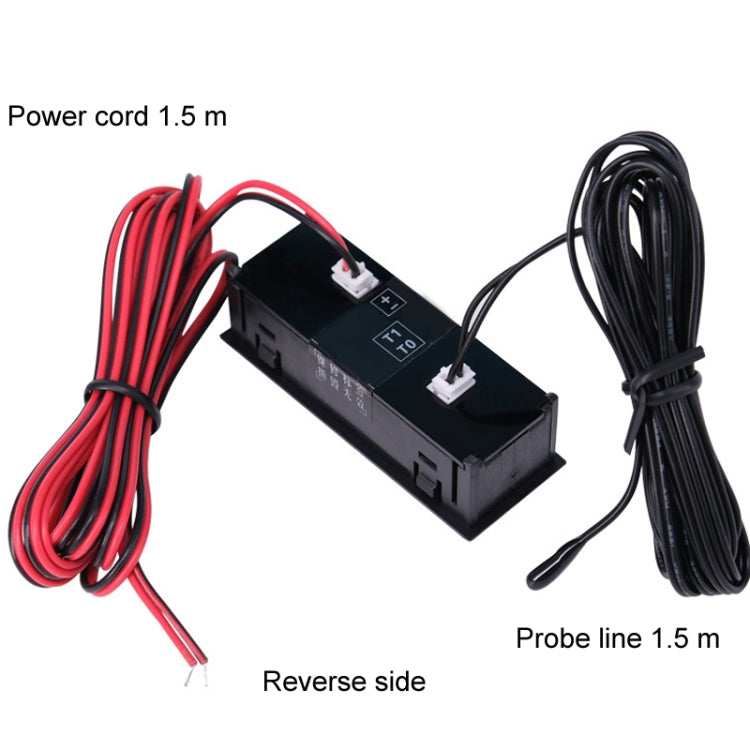





5V/12V WIFI Network Automatic Time Synchronization Digital Electronic Clock Module, Color: White
5V/12V WIFI Network Automatic Time Synchronization Digital Electronic Clock Module, Color: White

Spread the cost
Mobicred is a third-party credit option. Approval and terms are determined by Mobicred.
- Approval by Mobicred
- Rate & fees in your pre-agreement
- Repayments confirmed before acceptance
- Your interest rate, fees and repayment schedule are shown in Mobicred's pre-agreement.
- Approval and your credit limit are determined by Mobicred.
- Review the credit terms before accepting the agreement.
Available payment options are confirmed at checkout.
Continue to checkoutDon't have Mobicred yet? Visit Mobicred →
Credit is subject to Mobicred approval and terms. Your limit, interest rate, fees and repayment schedule are disclosed by Mobicred before acceptance. Mobicred terms and conditions
Duties & Import Tax Information
In Stock
Processing: 1–3 days
Free shipping for this item Free shipping from R250 Orders under R250 ship for R49.
Couldn't load pickup availability


Product details
Description
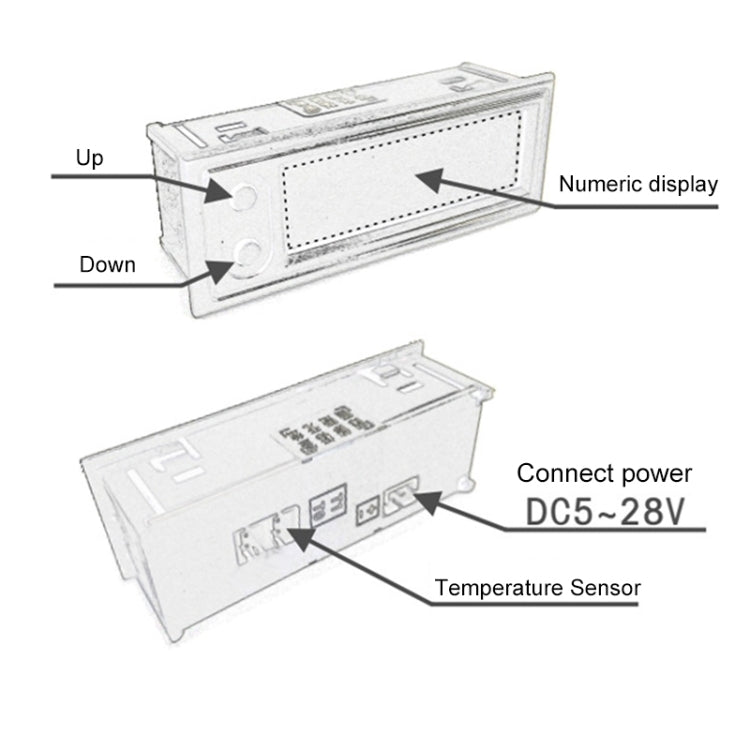
1. Embedded installation of WiFi timing clock module, DC5-20V power supply
2. It has 8 levels of adjustable brightness and an automatic brightness function (the display automatically changes to level 1 brightness after 19:00 in the evening, and automatically changes to the brightness value in the Ld setting after 7:00 in the morning)
3. Equipped with backup memory battery, the power outage time is stable
4. Support time zone, daylight saving time, 12/24 hour settings, available abroad
5. WiFi configuration information will be memorized. After configuring WiFi, as long as the WiFi signal is valid, it will automatically connect to WiFi to obtain the network time, keeping the time accurate for a long time.
6. Time zone, automatic brightness, brightness and other function settings can be set with buttons, or you can use your mobile phone to connect to the hotspot of the electronic clock and use the mobile phones browser to access 192.168.4.1 for web configuration
7. The daylight saving time function can be configured through the web page
8. Working voltage: DC5.0~20V
9. Frame size: 22x58mm
10. Installation opening size: 19.5x56mm
11. Temperature display range: -35~105 degrees Celsius
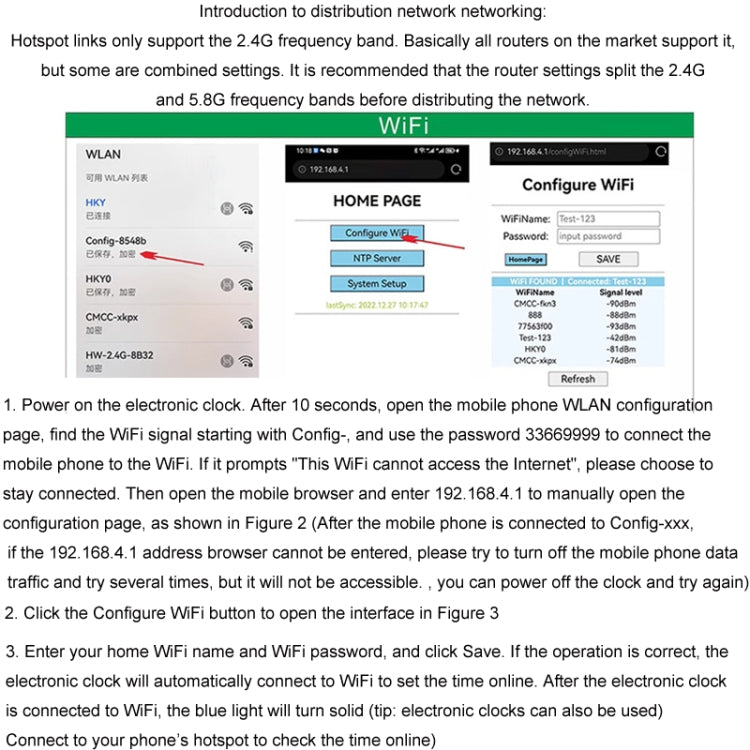
Introduction to distribution network networking: Hotspot links only support the 2.4G frequency band. Basically all routers on the market support it, but some are merged settings. It is recommended that the router settings split the 2.4G and 5.8G frequency bands before distributing the network.
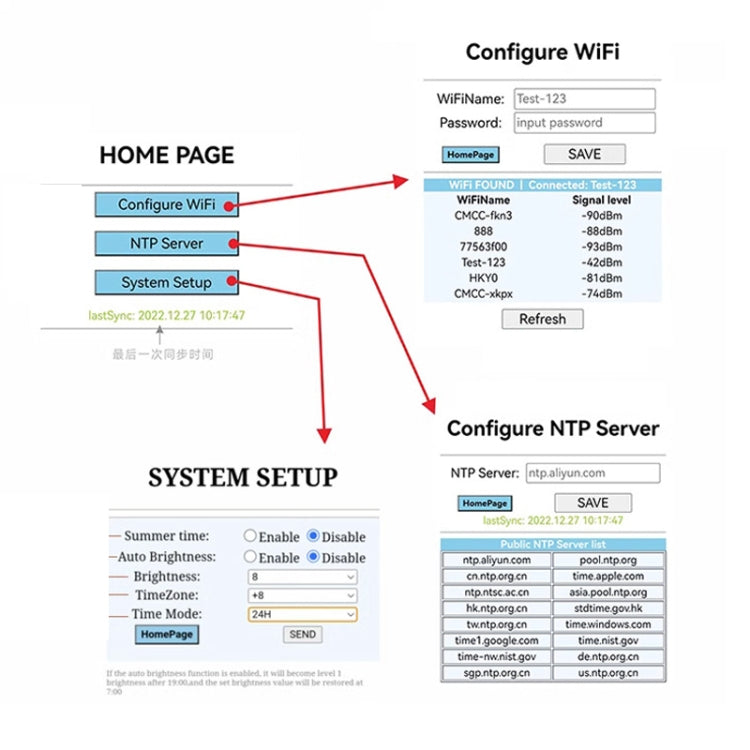
1. Power on the electronic clock. After 10 seconds, open the mobile phone WLAN configuration page, find the WiFi signal starting with Config-, and use the password 33669999 to connect the mobile phone to the WiFi. If it prompts "This WiFi cannot access the Internet", please choose to stay connected. Then open the mobile browser and enter 192.168.4.1 to manually open the configuration page, as shown in Figure 2 (After the mobile phone is connected to Config-xxx, if the 192.168.4.1 address browser cannot be entered, please try to turn off the mobile phone data traffic and try several times, but it will not be accessible. , you can power off the clock and try again)
2. Click the Configure WiFi button to open the interface in Figure 3
3. Enter your home WiFi name and WiFi password, and click Save. If the operation is correct, the electronic clock will automatically connect to WiFi to set the time online. After the electronic clock is connected to WiFi, the blue light will turn solid (tip: electronic clocks can also be used) Connect to your phone’s hotspot to check the time online)
Questions about features, compatibility, or warranty? Chat with our local support team!


