



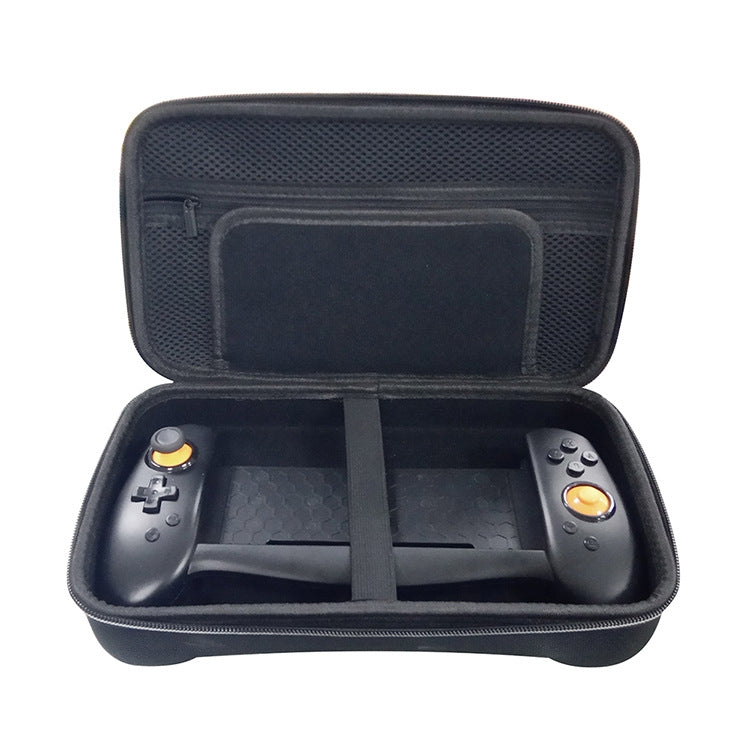


DOBE TNS-18133C Game Console Gamepad Grip With Hard Bag Set For Switch
DOBE TNS-18133C Game Console Gamepad Grip With Hard Bag Set For Switch

Spread the cost
Mobicred is a third-party credit option. Approval and terms are determined by Mobicred.
- Approval by Mobicred
- Rate & fees in your pre-agreement
- Repayments confirmed before acceptance
- Your interest rate, fees and repayment schedule are shown in Mobicred's pre-agreement.
- Approval and your credit limit are determined by Mobicred.
- Review the credit terms before accepting the agreement.
Available payment options are confirmed at checkout.
Continue to checkoutDon't have Mobicred yet? Visit Mobicred →
Credit is subject to Mobicred approval and terms. Your limit, interest rate, fees and repayment schedule are disclosed by Mobicred before acceptance. Mobicred terms and conditions
Duties & Import Tax Information
In Stock
Processing: 1–3 days
Couldn't load pickup availability


Product details
Description
The DOBE TNS-18133C Game Console Gamepad Grip is a wireless grip designed for the Switch console. It enhances grip comfort and stability during gameplay, allowing for improved control and performance.
- Material: ABS
- Connection method: Wireless
- Interface type: Type-C
- Applicable products: Nintendo Switch console
- Charging method: Charges via the Switch console; no internal battery
- Compatible power adapters: Supports Switch original power adapter or standard 15V PD protocol power adapter
- Features: Screen capture button, six-axis gyroscope gravity sensor, dual motor vibration
- Installation instructions: Requires Switch console settings adjustment for connection
- Product dimensions: 27.9 x 17 x 9.6 cm
- Product weight: 591 g
- Packing list: Handle x 1, Hard pack x 1
Questions about features, compatibility, or warranty? Chat with our local support team!


