







For Macbook Pro / Air HuiMinTONG HMT-AP85 Angle Sensor Calibration Tool
For Macbook Pro / Air HuiMinTONG HMT-AP85 Angle Sensor Calibration Tool

Spread the cost
Mobicred is a third-party credit option. Approval and terms are determined by Mobicred.
- Approval by Mobicred
- Rate & fees in your pre-agreement
- Repayments confirmed before acceptance
- Your interest rate, fees and repayment schedule are shown in Mobicred's pre-agreement.
- Approval and your credit limit are determined by Mobicred.
- Review the credit terms before accepting the agreement.
Available payment options are confirmed at checkout.
Continue to checkoutDon't have Mobicred yet? Visit Mobicred →
Credit is subject to Mobicred approval and terms. Your limit, interest rate, fees and repayment schedule are disclosed by Mobicred before acceptance. Mobicred terms and conditions
Duties & Import Tax Information
In Stock
Processing: 1–3 days
Free shipping from R250 Orders under R250 ship for R49.
Couldn't load pickup availability


Product details
Description
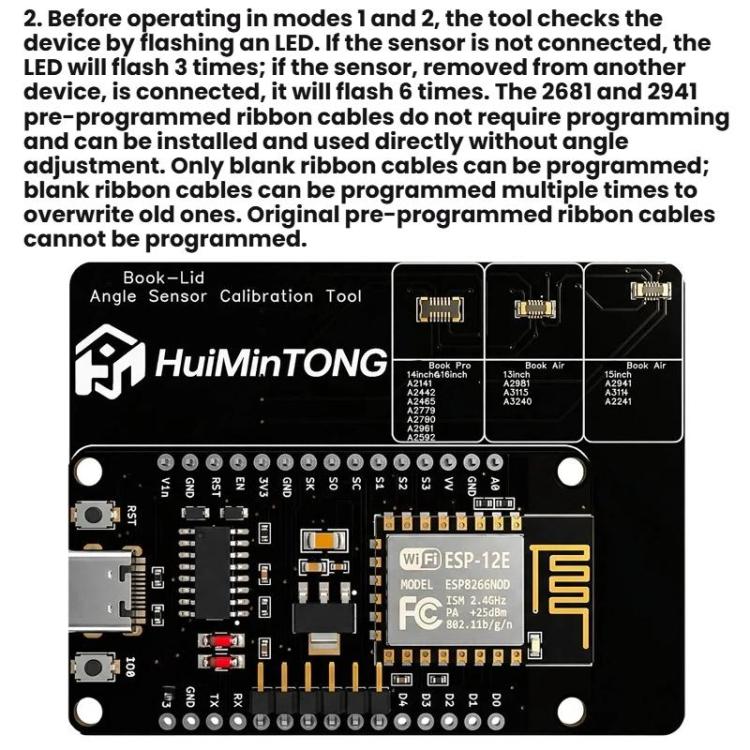
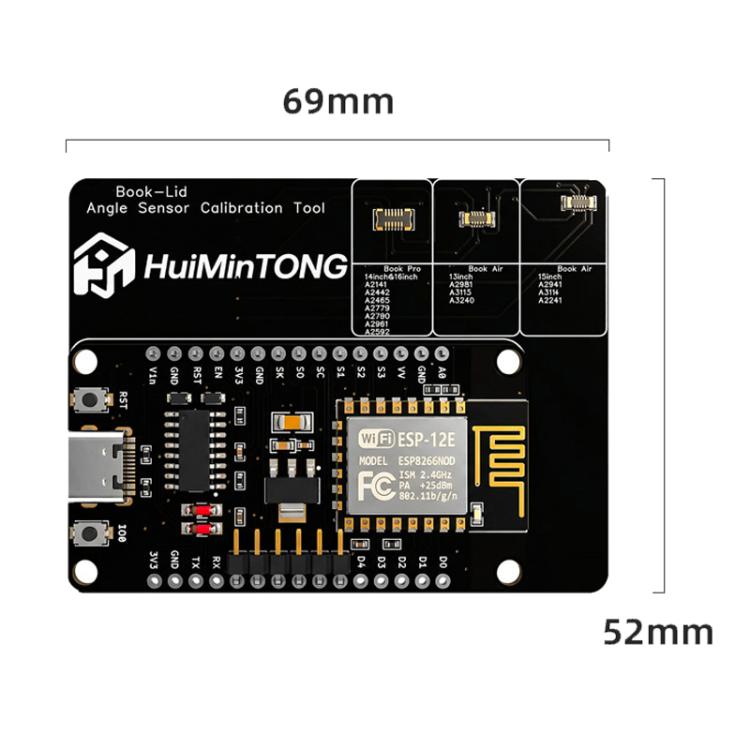
The HuiMinTONG HMT-AP85 Angle Sensor Calibration Tool is designed for calibrating angle sensors in specific MacBook models. It is particularly useful for technicians performing repairs on MacBook Pro and Air models to ensure accurate sensor functionality.
- Product Type: Calibration Tool
- Compatibility:
- MacBook Pro 14-inch: A2141, A2442, A2465, A2779, A2780, A2961, A2592
- MacBook Pro 16-inch: A2141, A2442, A2465, A2779, A2780, A2961, A2592
- MacBook Air 13-inch: A2981, A3115, A3240
- MacBook Air 15-inch: A2941, A3114, A2241
- Material: Not specified
- Key Feature: Angle sensor calibration
- Operating Modes:
- Mode 1: Calibration for PRO series models
- Mode 2: Calibration for AIR series models
- Mode 3: Sleep angle recognition function
- LED Indicators:
- Indicates selected mode via flash pattern
- Indicates calibration success with a 3-second illumination
- Indicates sensor connection status with flash patterns
- Installation:
- Pre-programmed ribbon cables require no programming
- Blank ribbon cables can be reprogrammed multiple times
- Original pre-programmed ribbon cables cannot be reprogrammed
Questions about features, compatibility, or warranty? Chat with our local support team!


